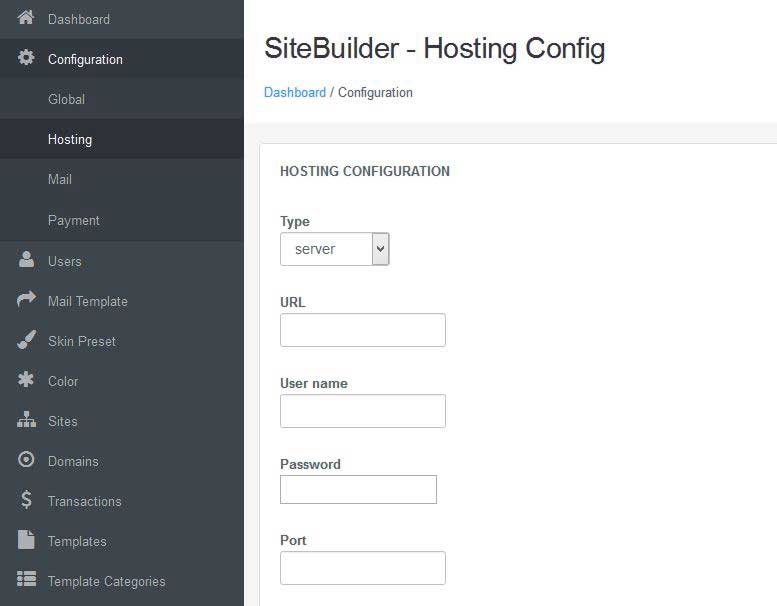
Hosting Configuration
- /
- /
- /
Hosting Configuration
If your site running on a VPS or Dedicated server, just ignore this step.
Subdomain Configuration
All websites created by STSBuilder is accesses through an subdomain URL, for example, if you site builder URL is example.com then all child websites of your builder wll have URL look like {site_name}.example.com.
- Login to cPanel.
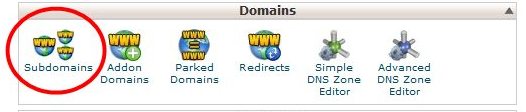
- Navigate to the menu ‘Subdomains’ under ‘Domains’ section
- Create a subdomain‘*’ pointing it to the necessary folder ( you will need to specify the path in the field ‘Document Root’ ).
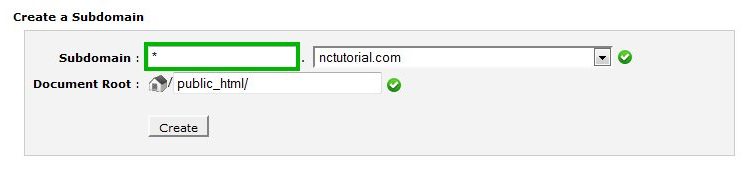 .
. - Go to the menu ‘Advanced DNS Zone Editor’
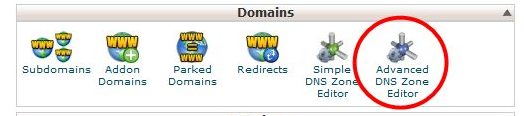
- Make sure that there is an A record for *.yourdomain.com created and pointed to the server IP address ( it could coincide with the IP address of your main domain or ftp.yourdomain.com is pointed to).
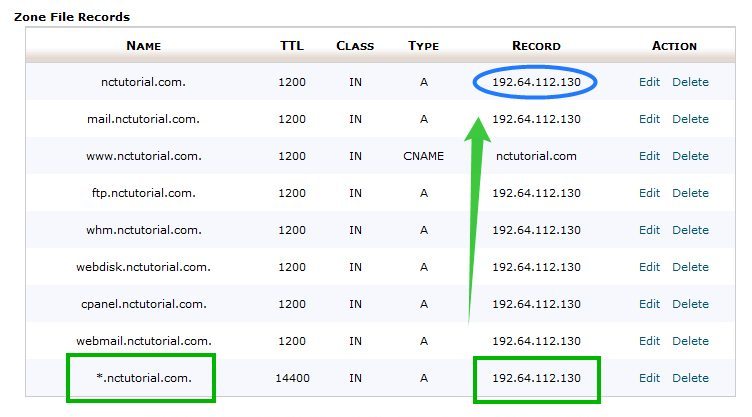
Custom Domain Configuration
To allow your websites to run with another domain, follow thess steps:
-
- Navigate to http(s)://{site_builder_url}/index.php/admin then enter the admin user name and password, click Login.
- Click the Configuration icon in the left and select Hosting .
- Under the Type dropdown, select type of your web hosting. Under the URL amd Port textbox, enter URL and Port of your hosting control panel. Under the Username and Password textbox, enter Login Details of the Control Panel.
- Click the Save button.